Period Tracker With No Account: A Private, Offline Option for iPhone (2026)
Want a period tracker with no account? Learn how offline cycle tracking works, what to check before you trust an app, and how Nene keeps your data on your iPhone.
Most period trackers start the same way. You download the app. Then it asks you to create an account.
Some people are fine with that. Others are not. Your cycle is personal. You may want a period tracker with no account, no email and no cloud.
This guide explains what that means. You will learn how offline cycle tracking works, what to check before you trust an app, and how to keep your logs private on your iPhone.
Use the contents list above to jump to any part.
What is a period tracker with no account?
A period tracker with no account is an app you can use without signing up.
You do not enter an email. You do not make a password. You do not log in on a new phone and wait for your history to load.
The app keeps your data on your device instead. When you log a period, the entry is saved on your phone. When you open the calendar, the app reads it from your phone.
That is the simple idea. Less data leaves your hands, so there is less to leak.
Why people want a private period tracker
People ask for a private period tracker for many reasons. These are the most common ones.
- Privacy. Cycle data is health data. Many people want to keep it close.
- Less spam. No email means no marketing emails.
- Shared phones. A partner, sibling or child may pick up your phone.
- Shared tablets. A family iPad can show more than you expect.
- Local laws and worry. Some people simply feel safer with no online record.
- Simplicity. You want to log a day, not manage a profile.
Notice the pattern. Most of these are about control. You decide who sees your data. You do not need to trust a stranger's server.
Account-based vs offline period trackers
There are two main kinds of period tracker. Each has trade-offs.
1. Account-based trackers
These apps store your data on a company server. You sign in with an email or a social login.
The upside is sync. You can open the same history on a new phone.
The downside is that your data lives somewhere else. You depend on that company's rules, security and future plans.
2. Offline period trackers
These apps store everything on your device. There is no sign-in.
The upside is privacy and speed. Nothing waits on a network.
The downside is that backups are your job. If you lose your phone and have no backup, your history is gone.
A good offline app solves that with an easy backup tool. We cover that below.
What to check before you trust a period tracker
Not every app that says "private" is private. Use this checklist before you log anything.
- Does it ask for an account? If it does, your data is likely stored online.
- Does it work in airplane mode? Turn on airplane mode and try it. An offline app should work fully.
- Does it have ads? Ad networks collect data. A health app with no ad tools is a good sign.
- Does it use analytics? Some apps track what you tap. Read the privacy details on the App Store page.
- Is the data encrypted on your phone? Encryption protects your logs if someone gets into the device.
- Can you lock the app? A PIN or Face ID adds a second door.
- Can you export or delete everything? You should own your data. That includes leaving with it.
- Is privacy behind a paywall? Basic privacy tools should not cost extra.
If an app fails more than two of these, think twice.
How Nene works as a period tracker with no account
Nene is an iPhone period tracker made by Tegribas. We built it for people who want a private period tracker with no account.
Here is how it fits the checklist above.
- No account. There is no sign-up and no email.
- Offline. It works fully in airplane mode.
- No ads. There are no ad tools in the app.
- No analytics. The app has no analytics or tracking tools.
- Encrypted storage. Your logs are kept in an encrypted database on your phone.
- App lock. Use a PIN or biometric unlock, such as Face ID on supported iPhones.
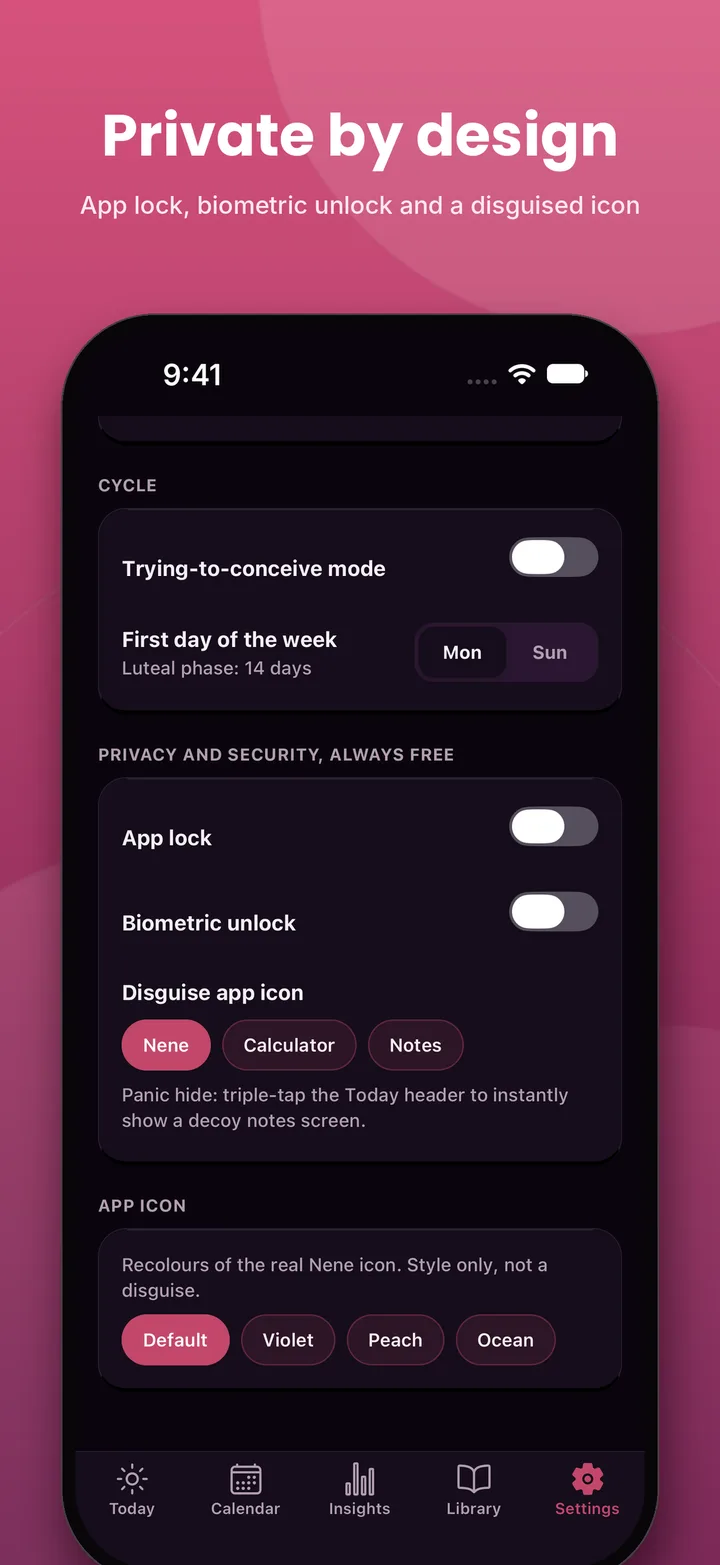
- Privacy tools stay free. App lock, the disguised icon and delete tools are not paywalled.
You open the app and start. That is it.
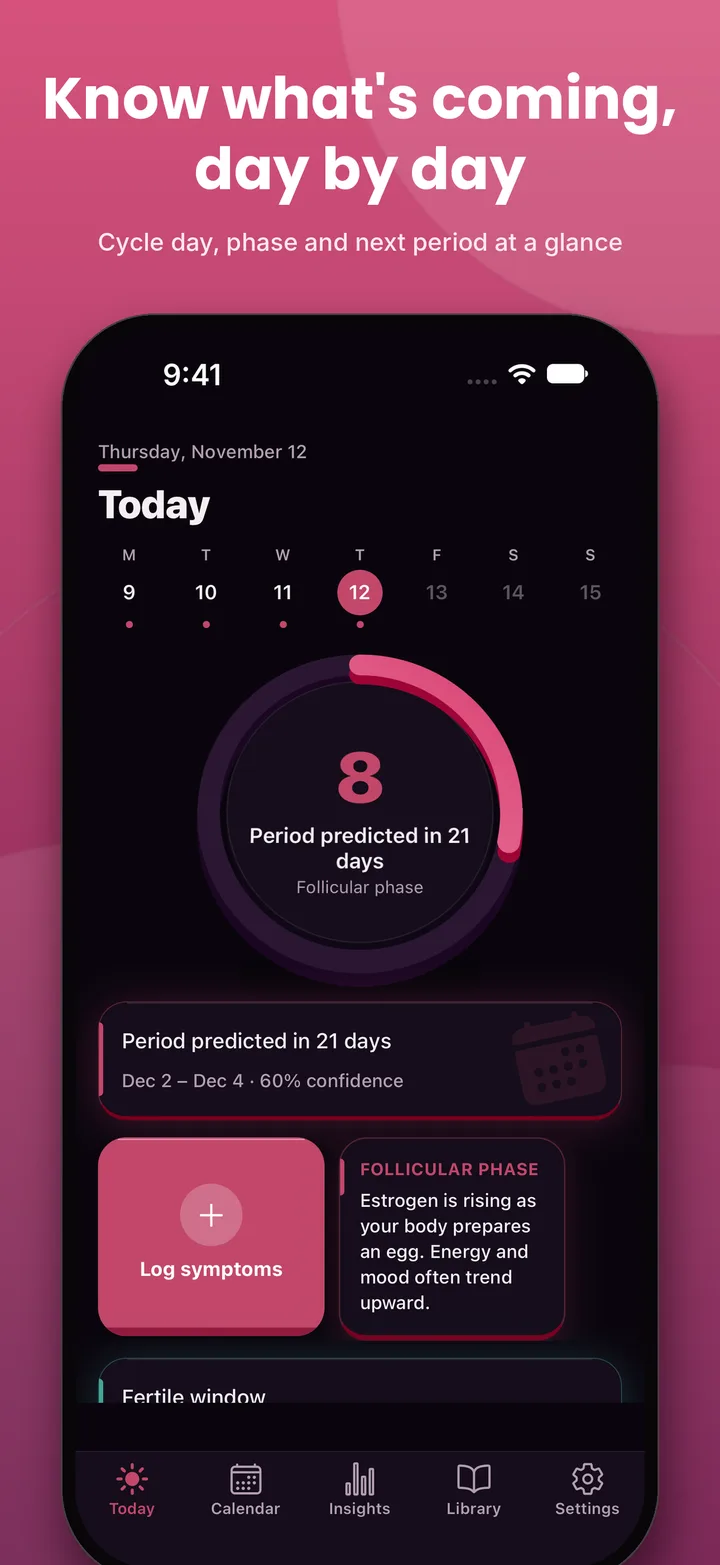
How to start with an offline period tracker
Here is a simple way to begin. It takes about two minutes.
- Install the app from the App Store.
- Open it and follow the short setup.
- Enter the first day of your last period.
- Add your usual cycle length if you know it. A guess is fine.
- Turn on app lock in Settings.
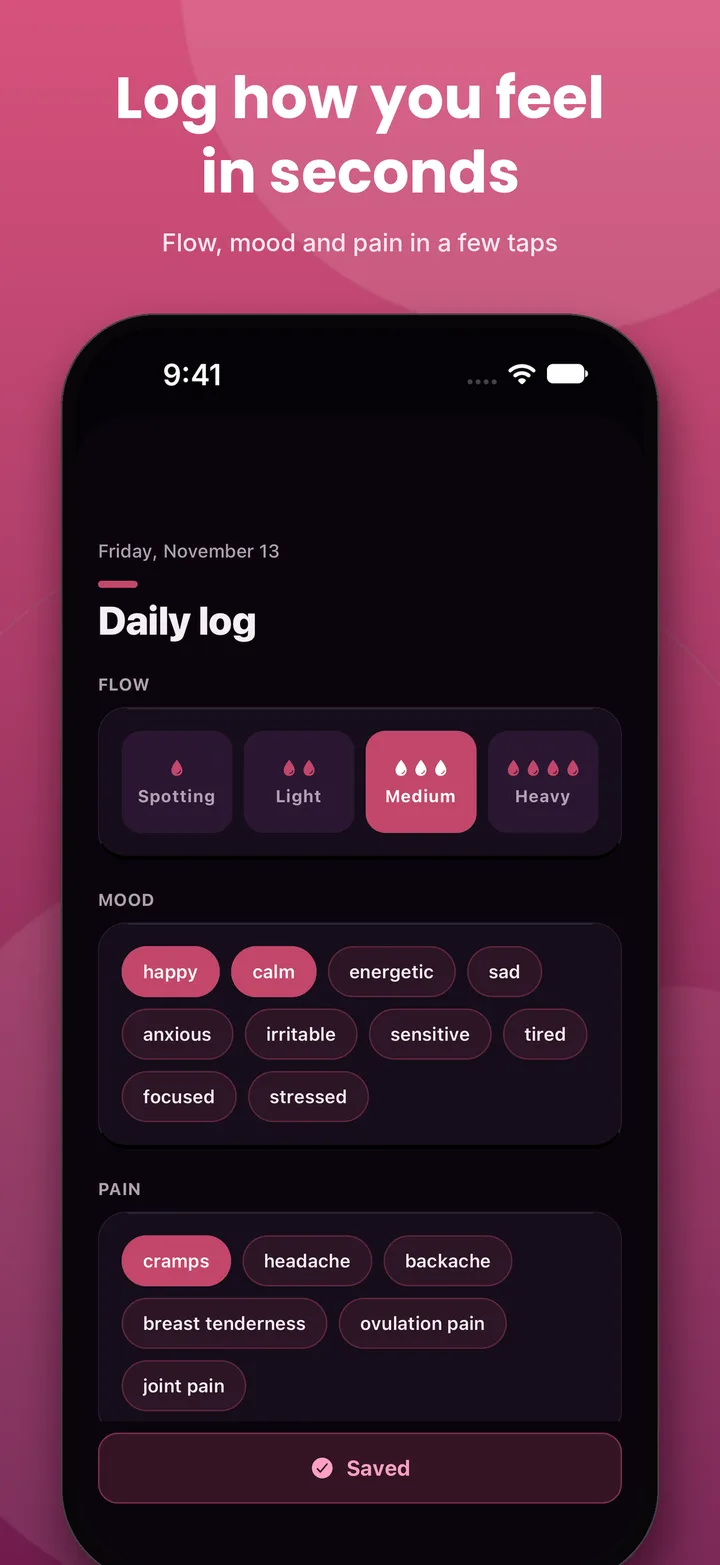
- Log a few days. Add flow, mood or pain if you like.
That is all. You do not need to create anything.
Period tracking for beginners: what to log
You do not need to log everything. Start small. A few habits are enough.
- The first day of each period. This is the most useful entry.
- The last day of bleeding. It gives you your period length.
- Flow. Spotting, light, medium or heavy.
- Mood. A few words are enough.
- Pain. Cramps, headache, backache or breast tenderness.
Over time, patterns appear. You may notice that cramps arrive on a certain day, or that your mood dips before a period. That is useful to know.
How period predictions work
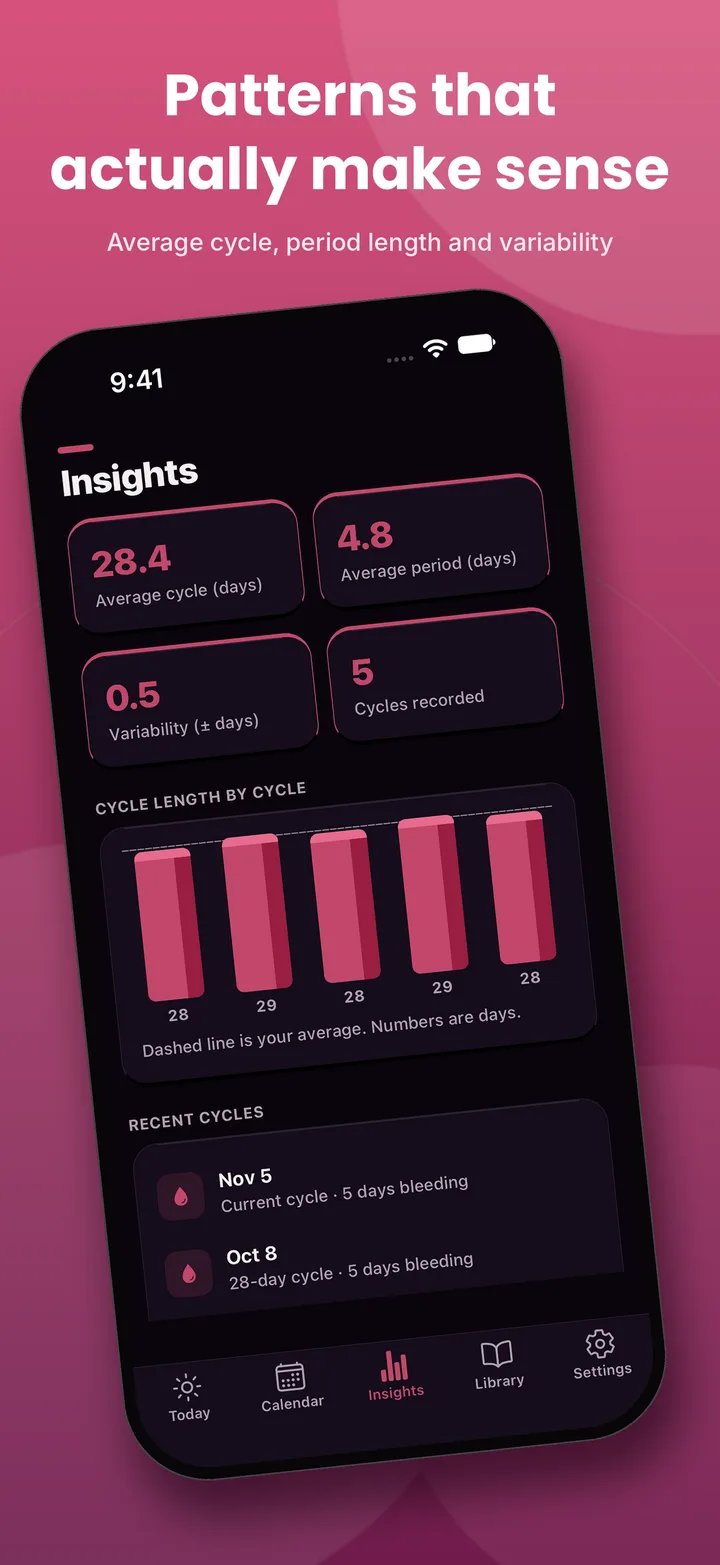
Every period tracker predicts the same way. It looks at the cycles you have logged and finds the average.
If your last six cycles were 28, 29, 28, 27, 28 and 29 days, the app expects the next one near 28 days. It adds a short window around that day, since cycles vary.
This is why more data helps. One cycle gives a weak guess. Six give a stronger one.
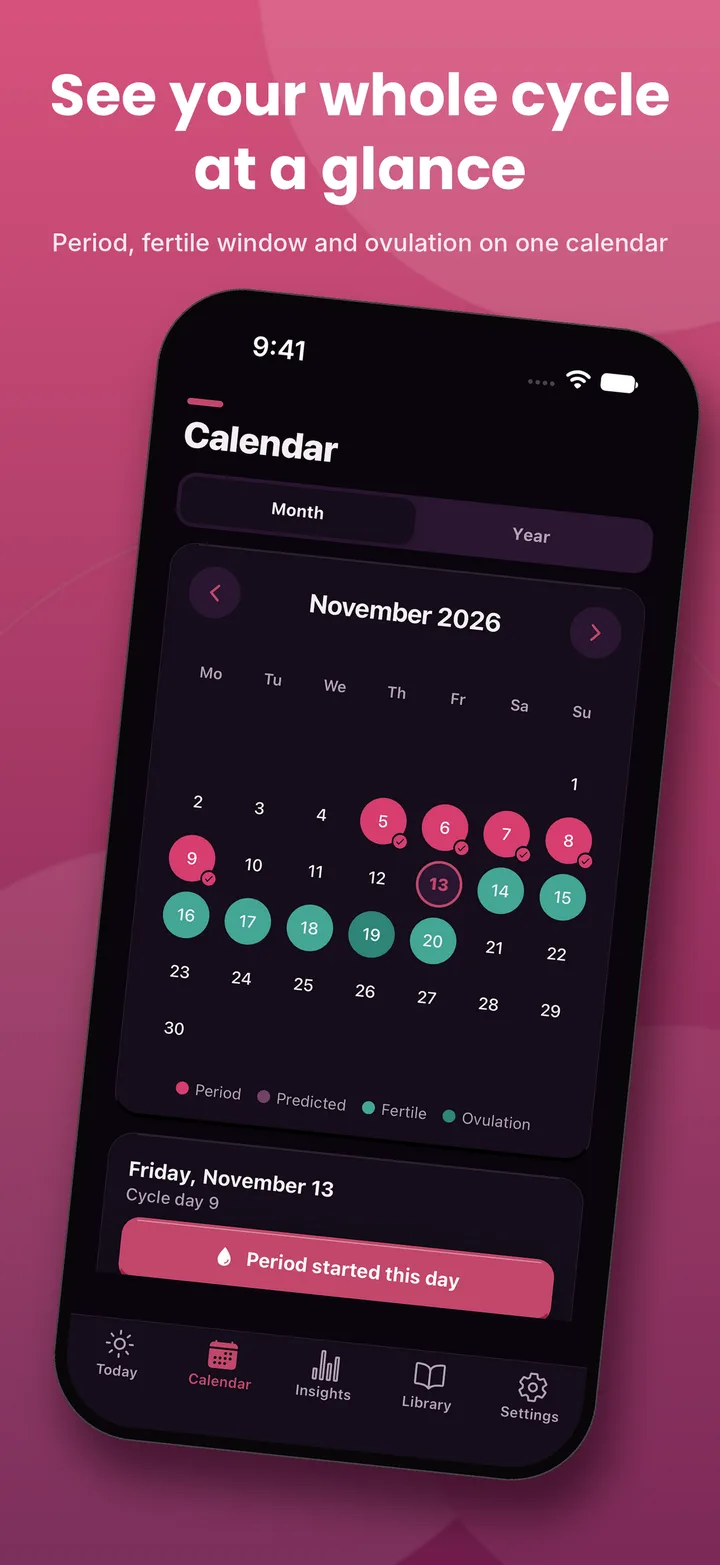
Nene also shows three things on the calendar:
- Period days. The days you logged.
- Predicted period. The days it expects the next one.
- Fertile window and ovulation. An estimate based on your cycle length.
Treat these as estimates. Bodies are not clocks. Stress, travel, illness and sleep can all shift a cycle.
Is a period tracker good for irregular cycles?
Many people with irregular cycles use trackers. A tracker can show you how irregular your cycle really is.
Look at the variability number in the Insights screen. It shows how much your cycle length changes. A small number means steady cycles. A large number means more swing.
With irregular cycles, predictions will be less exact. That is normal. The goal is to see your own pattern, not to hit a perfect date.
If your cycles are very long, very short, very heavy or very painful, talk to a doctor. A tracker is a notebook, not a diagnosis. Nene can create a report you can show a doctor, so your history is easy to share.
How to hide a period tracker on your iPhone
Sometimes you want extra discretion. Here are ways to do it.
Use an app lock
An app lock asks for a PIN or Face ID before the app opens. Even if your phone is unlocked, the app stays closed.
Change the app icon
Nene lets you swap its icon for a calculator or notes look. Anyone glancing at your home screen sees an ordinary tool.
Use panic hide
If someone walks in, triple-tap the Today title. Nene shows a decoy screen. You can then close the app calmly.
Use quiet reminders
Reminders can show neutral text, so a lock-screen alert does not reveal what it is about. You choose the wording.
Each step adds a layer. You can use one, or all four.
What about backups?
An offline app has one trade-off. If your phone is lost, a cloud-based app can restore your data. An offline app cannot, unless you made a backup.
So make one.
Nene can create an encrypted backup that you protect with a password. Save the file somewhere safe. It can be your own cloud drive, an email to yourself, or a computer.
Two good habits:
- Back up once a month. Add a calendar reminder.
- Back up before you switch phones. Then restore on the new one.
You can also export your data as a CSV file. It opens in any spreadsheet.
If you ever want to leave, you can delete everything from Settings. It is your data, so it is your call.
Cycle tracking and your health data
Some people also want to use Apple Health. That choice is yours.
In Nene, health data sync is opt-in. It is off by default. If you switch it on, you choose what to share. If you never switch it on, nothing moves.
This matters because "private" should be a default, not a setting you hunt for.
Learn as you track
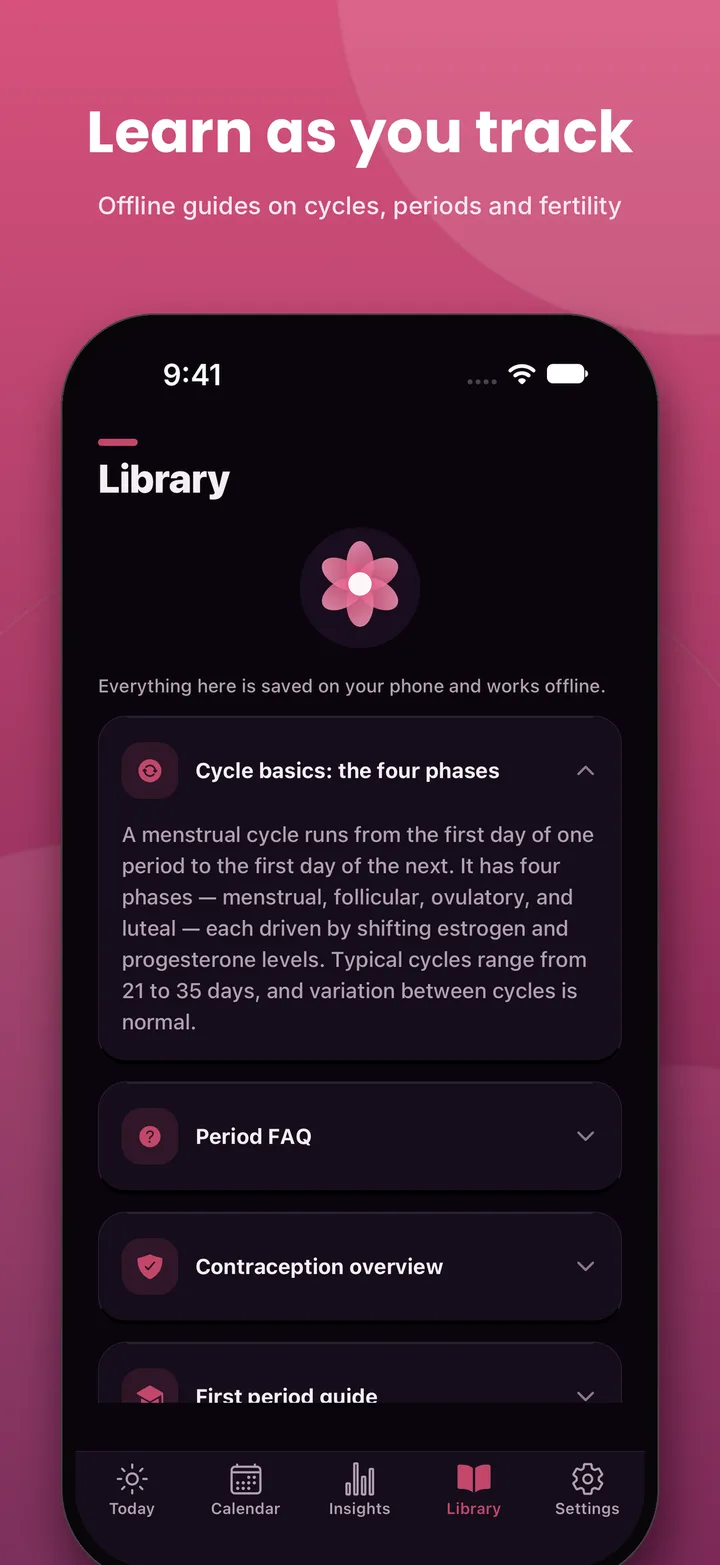
Understanding your cycle makes the numbers more useful. Nene includes an offline library with short guides. They cover the four phases of a cycle, a period FAQ, and an overview of contraception.
The guides live on your phone. You can read them anywhere, with no signal.
Make it yours
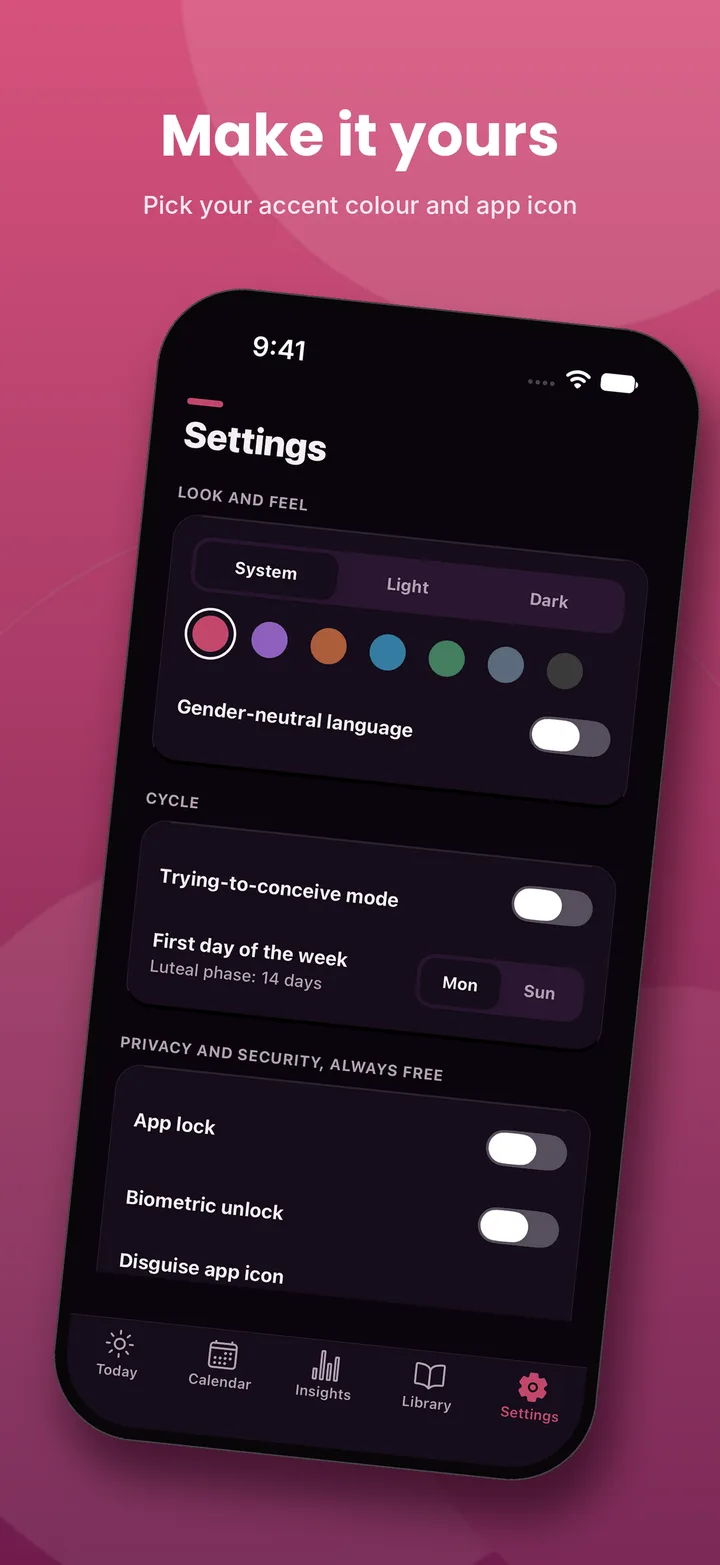
Small touches make an app something you open more often. Nene lets you pick an accent colour and switch between light and dark. It also has a gender-neutral wording option, for people who prefer it.
A short note on health and safety
Nene is a tracking tool. It is not a medical device.
- Predictions are estimates.
- Fertile window estimates are not birth control.
- If something feels wrong, see a doctor.
Use the app to understand your body better. Use a professional for medical advice.
Common mistakes with period trackers
Avoid these.
- Logging only when you remember. Gaps weaken predictions.
- Expecting an exact date. Think "around" a date, not "on" a date.
- Skipping the first day. It is the entry that matters most.
- Never backing up. An offline app needs a backup habit.
- Treating the app as a doctor. It is a notebook.
- Ignoring privacy settings. Turn on the app lock on day one.
Final thoughts
You can track your cycle without handing over your email. A period tracker with no account keeps your data on your phone, works without internet and gives you control.
Check any app against the list above. Then pick the one that earns your trust.
If you have an iPhone, you can try Nene on the App Store. It is free to download, and it takes a couple of minutes to set up.
Frequently asked questions
Is there a period tracker with no account?
Yes. Nene is an iPhone period tracker that needs no account, no email and no sign-up. You open the app, log your first period and get predictions. Your entries stay on your phone.
Does a period tracker work without internet?
It can. Nene works fully offline, including in airplane mode. Predictions, the calendar, daily logs and the offline library all run on your phone.
Can I hide a period tracker app on my iPhone?
Nene lets you change the app icon to a calculator or notes look. You can also turn on app lock and a panic hide. Triple-tap the Today title to show a decoy screen.
What happens to my data if I lose my phone?
Without an account there is no cloud copy. That is why Nene offers an encrypted backup you protect with a password. Save the backup file somewhere safe, such as your own cloud drive.
How accurate are period predictions?
Predictions are estimates based on the cycles you log. They get better as you add more cycles. They are not medical advice and they are not a way to prevent pregnancy.
Is Nene free?
Nene is free to download. Predictions and the privacy features are free. Some extras are part of a paid plan, which can be a subscription or a one-time lifetime purchase. Check the App Store listing for current prices.